

PPWR & conformity
The signature is no longer missing.
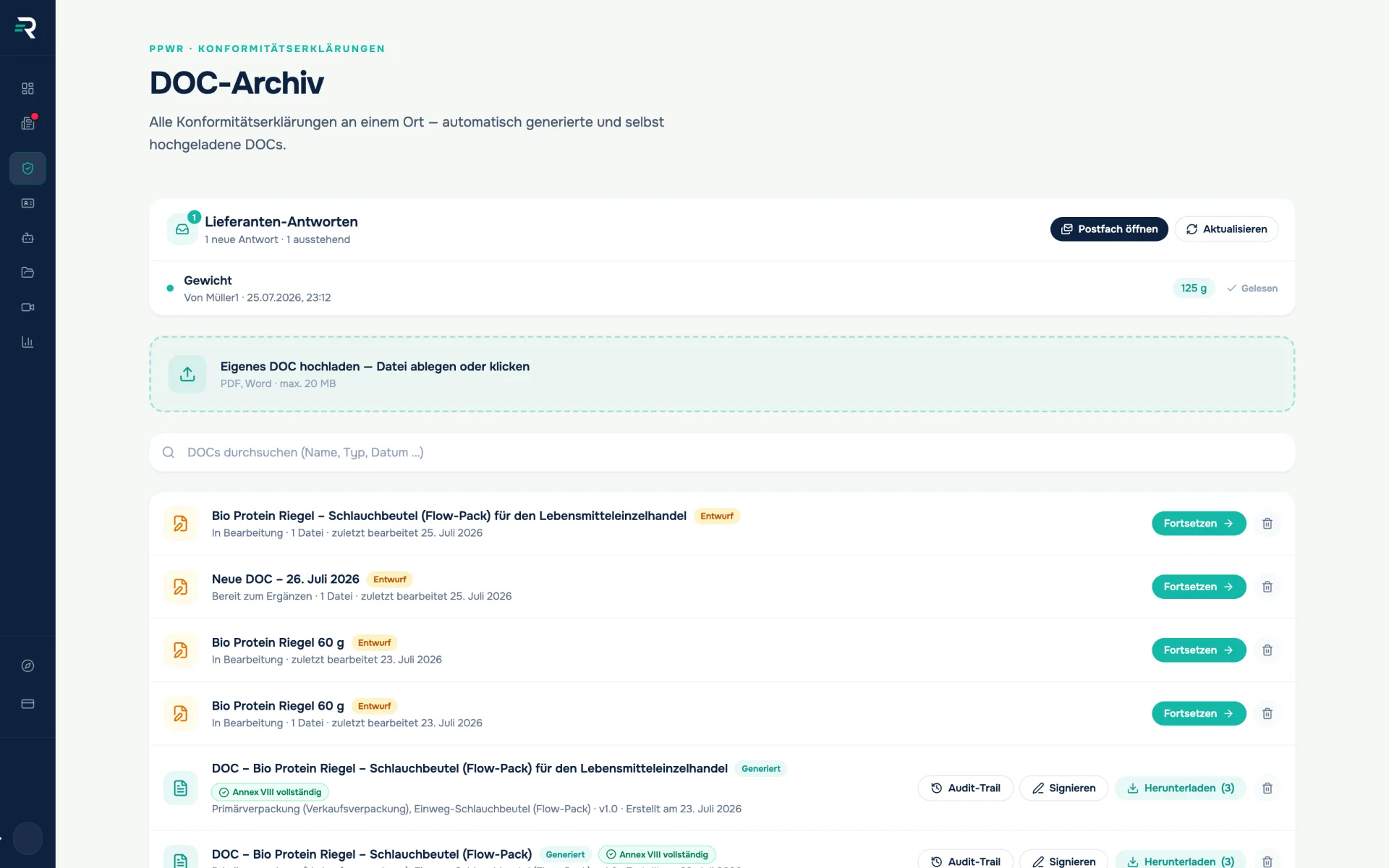
The DoC archive holds generated, uploaded and still-open declarations of conformity in one list — and collects the signature by link, even from someone without a Reguly account.
- Regulation
- PPWR (EU) 2025/40
- Context
- Art. 15, 39, Annex VIII
- Module
- DoC archive + e-signature
- Signature level
- eIDAS SES
Ausgangslage
Between “DoC created” and “DoC signed” lies the paper trail
The declaration of conformity is written — then the part nobody planned for begins: attachment by email, print the signature page, scan it, send it back. Six months later someone goes looking for the valid version.
- Generated, uploaded and half-finished declarations sit in three different corners.
- Whoever has to sign often sits outside the system — management, supplier, authorised representative.
- A missing signature only becomes obvious when the declaration is needed.
How you work with it
One list instead of three repositories
The archive mixes three sources into one list: generated DoCs, self-uploaded files and drafts still sitting in the generator. Search filters live across title and meta line, and a click opens the preview. Declarations from elsewhere go in by drag and drop — PDF, DOC and DOCX up to 20 MB. Certificates and test reports, by contrast, belong in the vault.
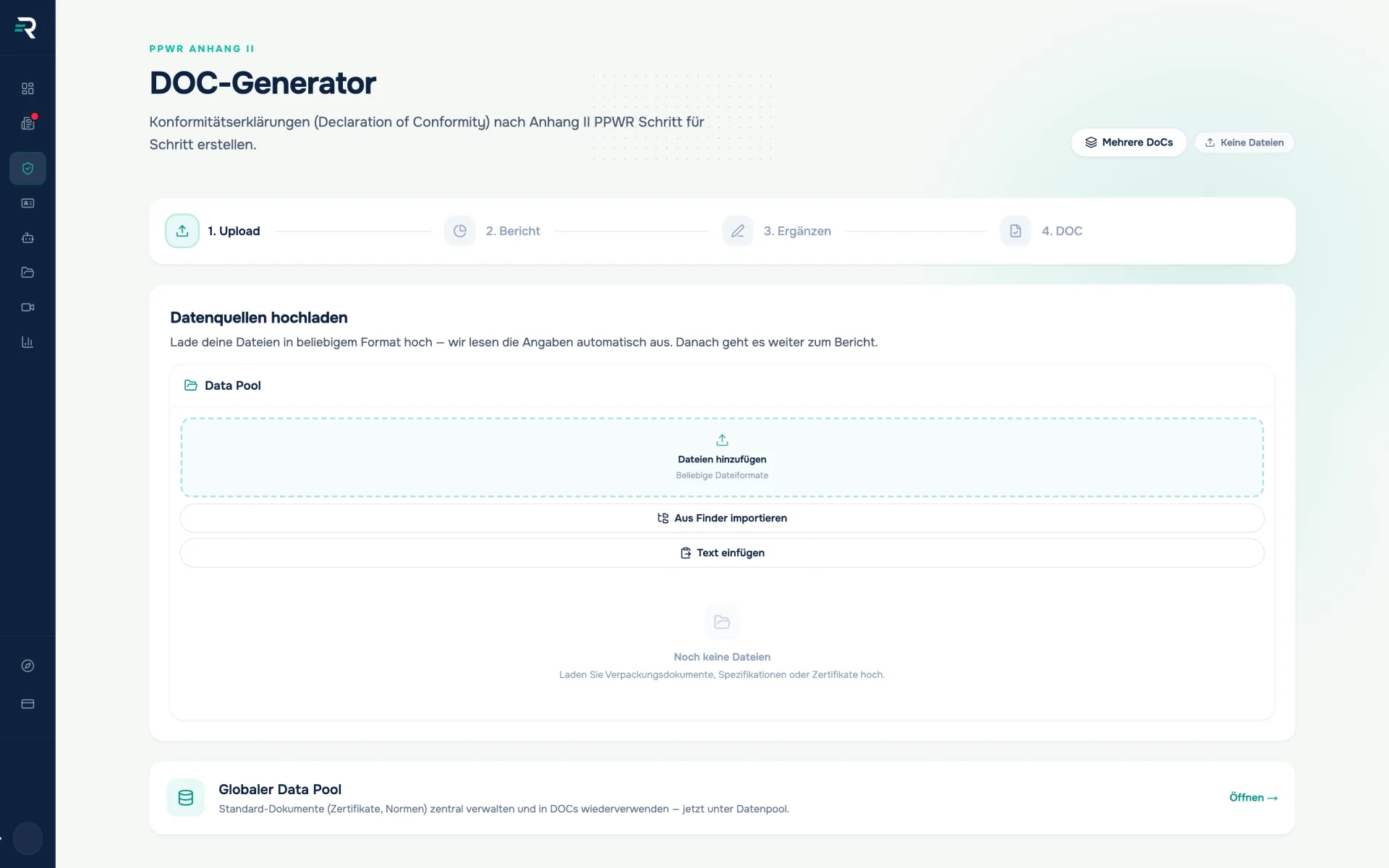
Continue drafts
A draft carries its state in the row — “In progress”, number of files, last edit. “Resume” takes you back into the generator, to exactly where you left off. A document you have started does not drop out of sight just because it is not finished.
Get it signed
Two routes lead to a signature: draw it yourself in the browser — or send a signature request to an email address. For a generated DoC the signature is placed into the document and a PDF is produced from it. No external signature service is involved, and no extra fee applies for the signature.
Follow up and verify
While a request is open, the row reads “Signature pending” with the recipient and a “Remind” that resends the link. After that it reads “Signed externally” with the date. The signed version is attached to the original DoC and available through its audit trail — with version and checksum.
What matters most
One link is enough — no account
The request produces a token link to a public page: brand, document title, your message, a preview — sign, enter your name, submit. No login, no additional subscription to a signature service. The interface explicitly labels the result a simple electronic signature (eIDAS SES), not a qualified one. Expired and withdrawn links stop working.
Compliance owners
Every declaration you issue sits where you will look for it first in two years’ time.
Authorised signatories
All that is left for you is a link and a signature — no extra account, no printout, no scan back.
Law firms & consultants
The question “signed or not?” is answered by the row, not by a phone call.
How it fits together
One set of data that carries forward
01
DoC generator
creates the declaration under Annex VIII
Declaration of conformity · Version · Language versions
02
DoC archive
keeps it and collects the signature
signed version · signature status · named PDF
03
Audit log
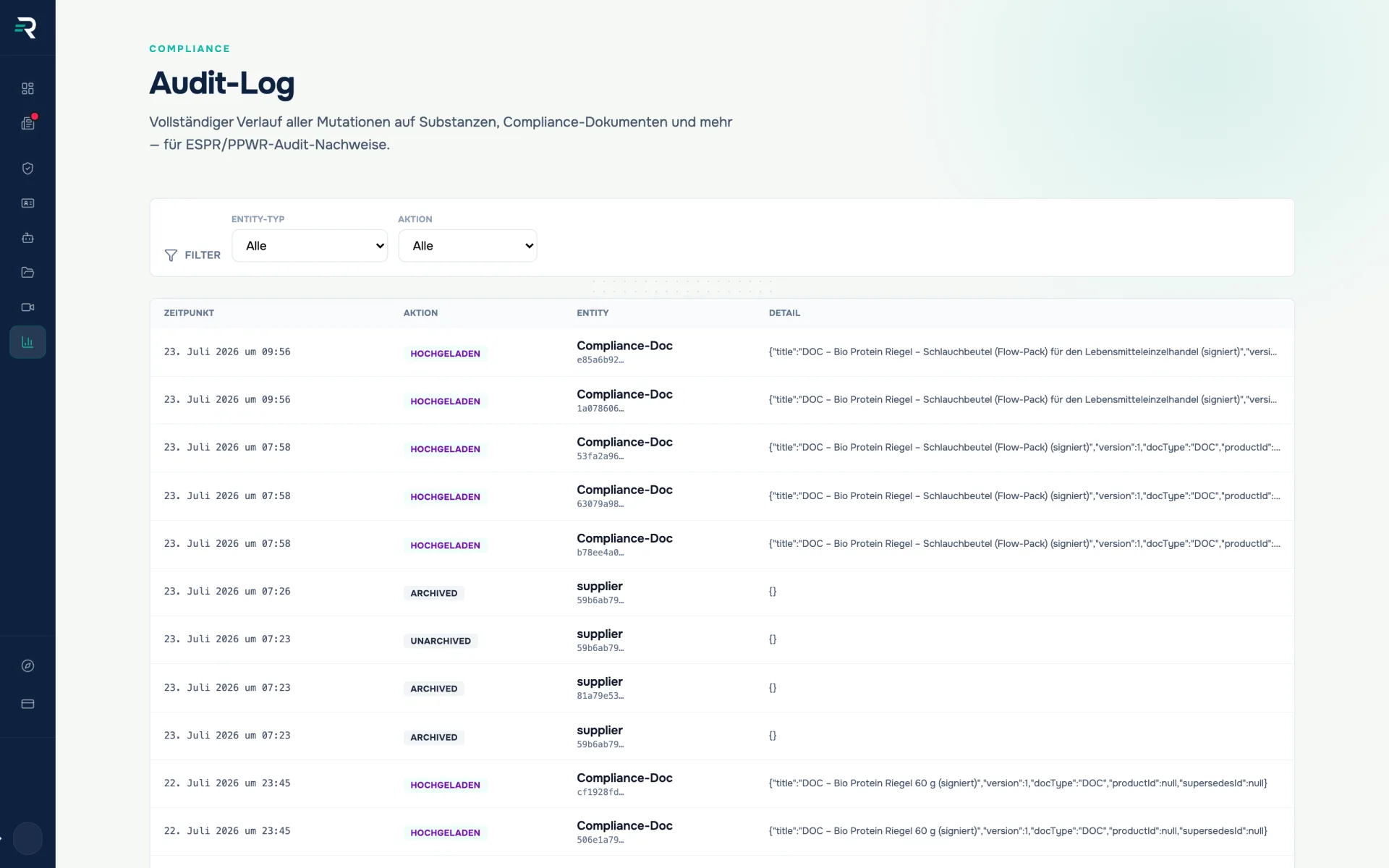
logs every filing and signature
Timestamp · Version · SHA-256 checksum
Frequently asked questions
Which signature level do I get?
A simple electronic signature (eIDAS SES). The interface labels it exactly that way. Where a qualified signature (QES) is required, you need a qualified trust service provider.
Does the signer need a Reguly account?
No. The signature page deliberately sits outside the dashboard and is reachable without a login — the recipient opens the link, signs and is done.
How does the archive differ from the compliance vault?
The DoC archive holds the declarations of conformity themselves — generated, uploaded or in draft, versioned and with signature status. The compliance vault is the repository for all other evidence such as certificates and test reports.
How long do I have to keep a declaration of conformity?
The PPWR requires five years for single-use packaging and ten years for reusable packaging. The archive is the place where the declaration stays findable for that long.
Passt dazu
DoC generator
The reviewed data becomes a finished declaration of conformity.
Every piece of evidence is ready, none expires quietly.
The compliance vault keeps every piece of evidence in one place — test reports, certificates and declarations, versioned and with expiry monitoring.
Every change is on record before anyone asks about it.
The audit log records every change to your compliance data with timestamp, action and entity — filterable by entity type and action, with a diff per row.
See what is still open
Five questions show you how far your PPWR evidence goes — free and without signing up.