

Insights & operations
Every change is on record before anyone asks about it.
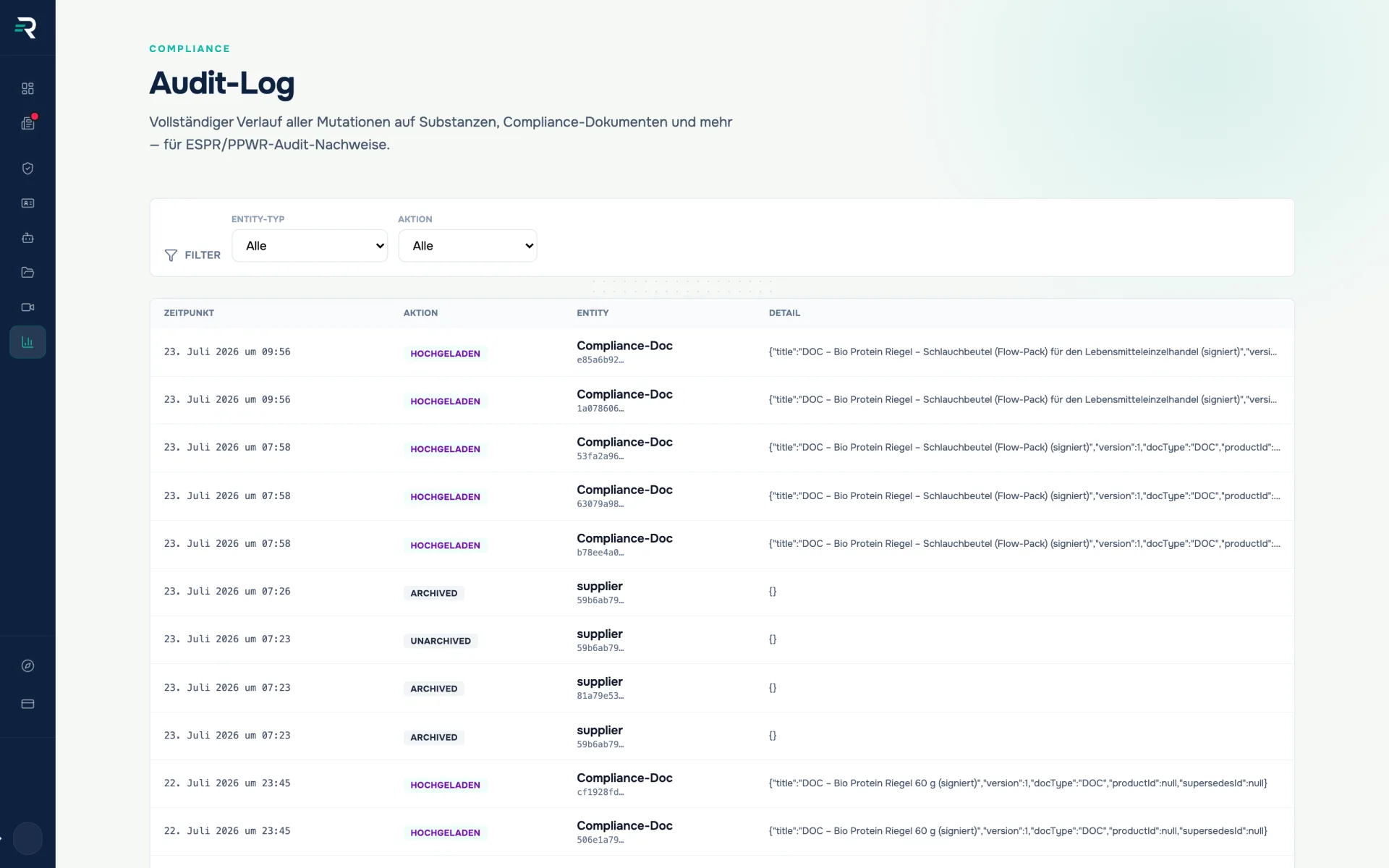
The audit log is the running history of your brand: create, change, delete, archive, upload and download — with timestamp, action, affected entity and the detail of the change.
- Module
- Audit log
- Entity types
- 5 filters
- Actions
- 6 filters
- View
- last 50 events
Ausgangslage
The question comes later — the answer is created today
Authorities, auditors and trading partners rarely ask whether a packaging is compliant. They ask how you evidence it — and that answer cannot be produced after the fact. Either it was recorded or it was not.
- A value has changed, but nobody knows when it flipped and who set it.
- The spreadsheet only knows the current state — the state from the week before last is gone.
- That a piece of evidence was deleted or archived cannot be shown afterwards.
How you work with it
What gets written into the log
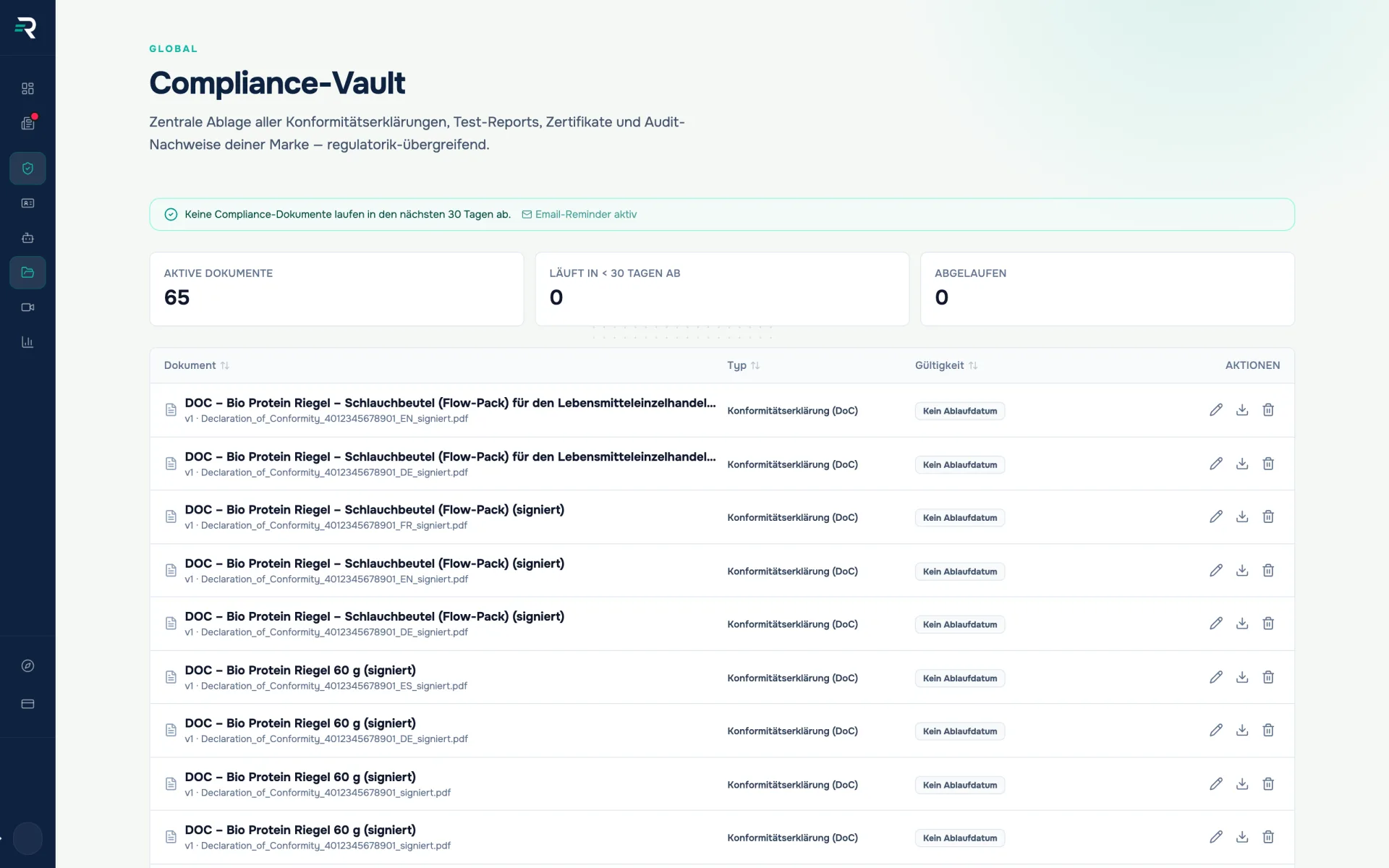
You do not maintain the log — it fills itself from the work of the other modules. File a test report in the vault and an event is created on the compliance document; change a substance and the change appears here as a diff. Every event carries the user, entity type, action, diff, timestamp and the row state afterwards. Only your own brand is visible.
Read it and narrow it down
The view shows the last 50 events with timestamp, action, entity and detail; two filters narrow by entity type and action. What is missing belongs to an honest description: no full-text search, no filter by person or period, no paging beyond that. The presentation stays technical too — the detail is the change object in raw form, with the database field names.
Do not confuse it: the trail of a single document
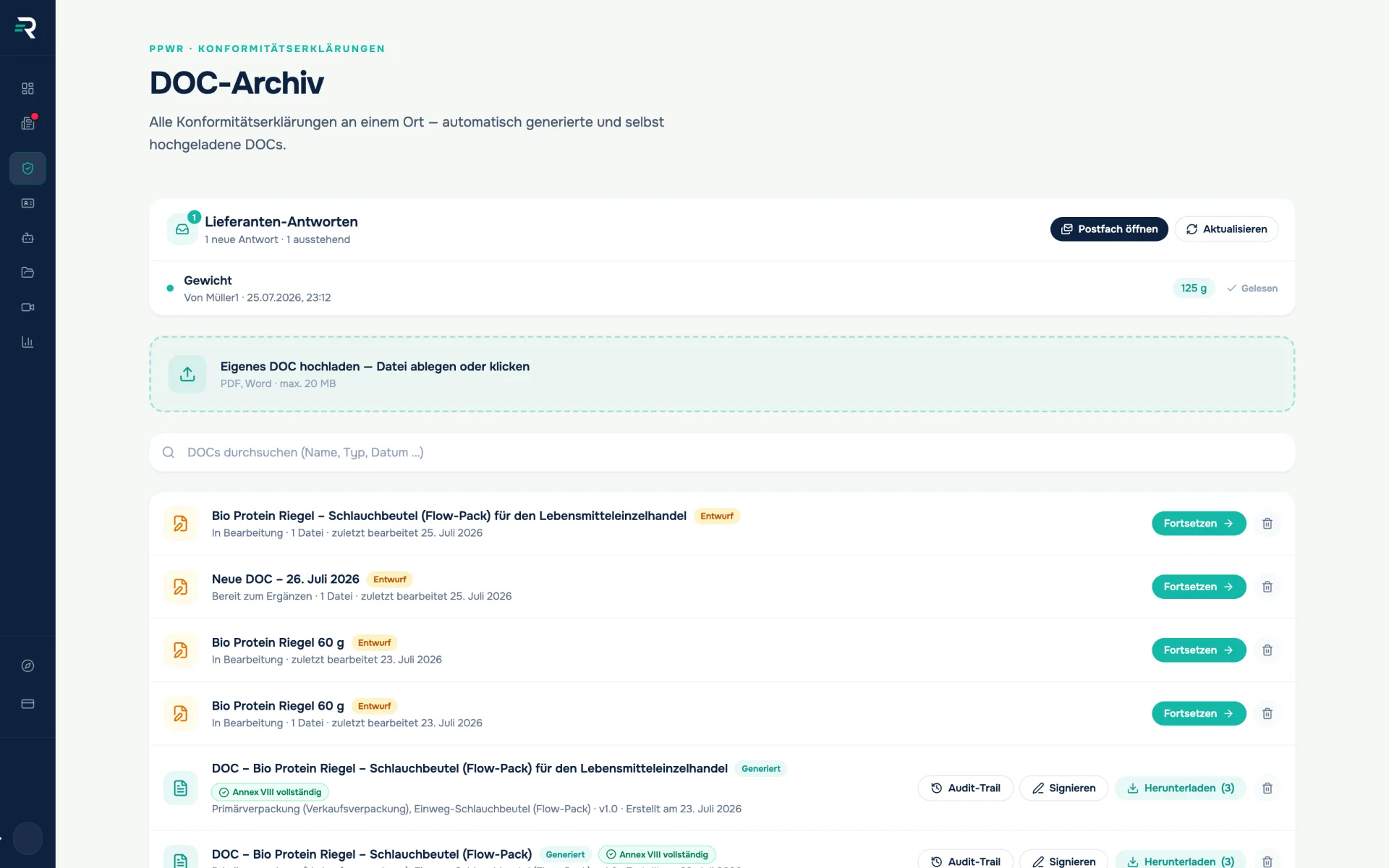
The log is the brand-wide chronicle. The audit trail hangs off exactly one declaration of conformity and is opened in the DoC archive: project creation, source files, extraction, every version and every signature link, plus a SHA-256 checksum of the file. It is available as a branded PDF — the log itself has no export. A rule of thumb: the log for “what happened?”, the trail for “how did this document come about?”.
Der Unterschied
Two audits, the same question
The difference does not show on the day of the change but months later — when someone asks about it.
What is missing in an audit
- The time: when a value was set is written nowhere — only what it says today.
- The prior state: the old version was overwritten.
- The action: uploaded, archived or deleted — no longer distinguishable.
What is there with the audit log
- The timestamp of every event, sorted descending.
- The diff of the change, plus the complete row state afterwards as a snapshot.
- The action as a colour-coded field — and the entity type with its ID per row.
How it fits together
One set of data that carries forward
01
Compliance vault
every filing, change and archiving of evidence creates an event
Compliance document · Action · Timestamp
02
Audit log
carries the brand’s events forward, with a diff and snapshot per row
Timestamp · Diff · Snapshot · Entity ID
03
DoC archive
shows alongside it the trail of a single declaration of conformity
Document ID · Version · SHA-256 checksum
Frequently asked questions
What is the difference between the audit log and the audit trail?
The audit log is the module: the brand-wide chronicle of all events across all entities, filterable by entity type and action. The audit trail belongs to exactly one document, is opened in the DoC archive from its row and shows that document’s life from project creation to signature — including the SHA-256 checksum and a PDF export. Two views, two questions.
Can I export the audit log?
Not from the brand audit log — there is neither a CSV nor a PDF export there. What can be exported is the audit trail of a single document as a branded PDF and, for administrators, the cross-brand system feed as a CSV.
Can I search the log or page further back?
No. There are two filters — entity type and action — and the last 50 events. Full-text search, filters by person or period and paging further back do not exist.
Can I undo an accidental change?
Yes. An entity can be rolled back to the snapshot of an earlier event — reserved for the owner and admin roles. The rollback is itself an event and appears in the log afterwards.
Are read accesses logged as well?
Six actions are logged: create, change, delete, archive, upload, download. A download therefore creates an event; opening a list does not.
Passt dazu
Every piece of evidence is ready, none expires quietly.
The compliance vault keeps every piece of evidence in one place — test reports, certificates and declarations, versioned and with expiry monitoring.
The signature is no longer missing.
The DoC archive holds generated, uploaded and unfinished declarations of conformity in one searchable list — including signing in the browser.
Every value knows where it came from.
The data hub brings together all packaging data across sources, shows the completeness rate and makes it traceable where every value came from.
See what the PPWR asks of you
Five questions show you which evidence and duties are coming for your packaging — free and without signing up.